Buyer-focused page structure
A page and URL plan for your core services, coverage, products, or industries. Useful pages and search history are accounted for before migration.
Website design & development
Build a fast, usable website around the way your customers compare services, evaluate risk, and contact your team. We plan the words, navigation, page design, and lead paths together.

A page and URL plan for your core services, coverage, products, or industries. Useful pages and search history are accounted for before migration.
Responsive pages with the offer, proof, and next action visible at decision points. The WordPress scope includes clear editing and ownership instructions.
A live test from landing page to call, form, or RFQ receipt, plus a launch checklist for redirects, mobile behavior, and metadata.
Share your current domain, examples of jobs you want, which pages matter today, and the details your team needs from a new lead.
Map the principal services, industries, coverage, and questions. Give each important visitor task a clear route from the homepage.
Keep the high-intent action close, request the information your team actually uses, and test on different screen widths and connection speeds.
Preserve pages with useful history, map intentional redirects, and test forms, canonicals, and your sitemap before switching traffic.
Give the buyer a clear route from a broad service, a specific problem, or a comparable project to the real work you offer.
Test the live submission all the way to the person or dashboard responsible for it. Include source, service and useful project details in the handoff.
Provide a URL map, tested mobile layouts, sitemap, lead test, and clear instructions for updating pages after launch.
Contractor website design · See the Good As New WordPress rebuild
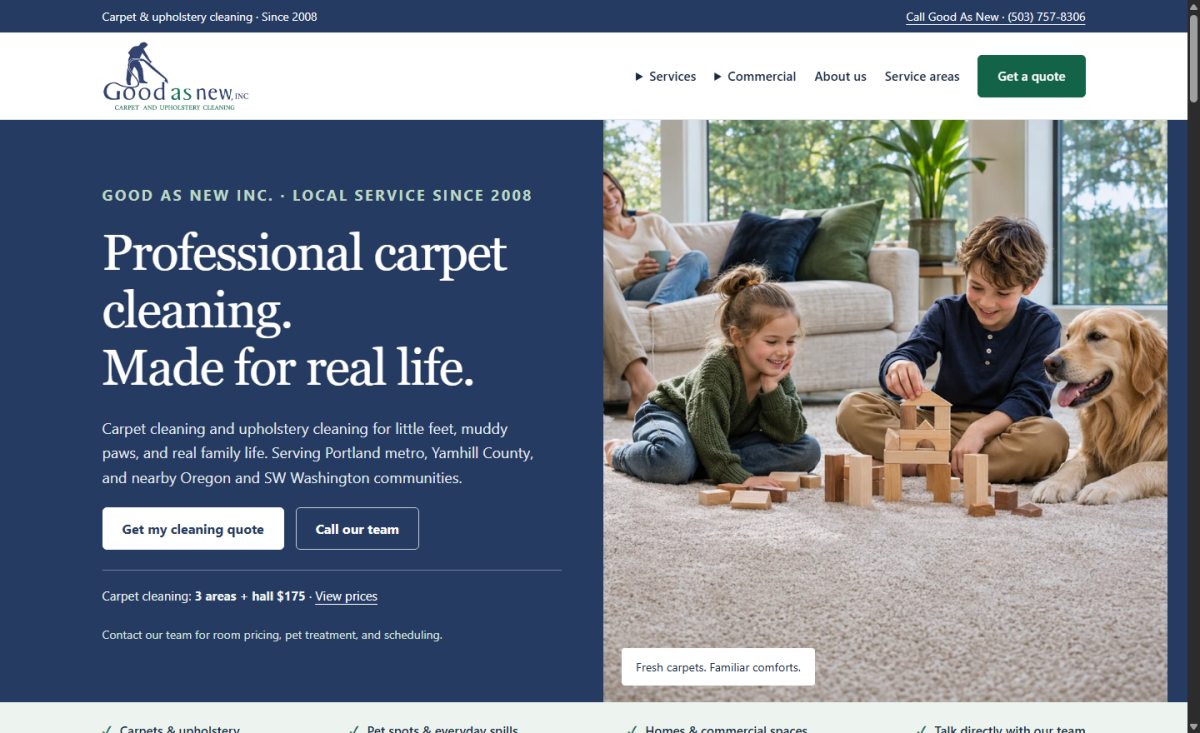
Good As New · WordPress rebuild
The site puts the quote right where visitors compare room prices or check service coverage. Explore the live website and what went into the build.
For contractors and B2B teams whose current site makes it hard to compare services, find technical information, or request a usable quote.
Share your current domain, examples of jobs you want, which pages matter today, and the details your team needs from a new lead.
Plan my websiteWe can build on WordPress and document the page editor and lead workflow. Discuss who will own content updates before choosing the setup.
We catalog the existing paths and prioritize pages with useful content or search history. Each retired URL gets a decision and a tested destination when applicable.
Show which interior and exterior steps are included, which vehicles need a separate quote, and where service happens. Keep packages easy to compare on a phone.
Show makes and work types you service and give customers a short path from a symptom, maintenance need, or fleet request to an appointment inquiry.
Organize your work by service and scope, such as built-ins, finish carpentry, or production millwork. Explain what the customer should prepare before a quote.
Build around the service types your crews deliver. Show room or package options for predictable scope and a separate quote route for specialty and commercial jobs.
Organize your work by project type, delivery capability, and region. Let a buyer verify relevant experience and reach the right estimator without searching through a generic portfolio.
Give troubleshooting calls, panel upgrades, EV charger installation, and commercial project inquiries separate routes. Explain which scope details help your team estimate each job.
Lead with the types of projects you want. Use case pages with approved photos, initial scope, choices, and constraints so the buyer can see the fit.
Give no-heat calls a visible tap-to-call path and let replacement shoppers compare fit, system types, and next steps. Show your actual hours and equipment scope.
Give a recurring maintenance customer a scope and service-area path. Give a design-build buyer a project gallery, planning timeline, and consultation next step.
Build around your capabilities, material and process limits, product data, and approved application examples. Offer a clear path for drawings to be shared through an approved channel.
A short moving form should establish availability and route before asking for a long inventory. Show packing, local moves, and business relocation when you actually provide them.
Build separate project paths when preparation, scheduling, access, and scope differ. Use permissioned work photos and state what customers should describe before the visit.
Give common symptoms an appropriate route to inspection, show where your services fit, and make ongoing plans and commercial inquiries easy to distinguish.
Give leaks and backups an obvious call route. Build separate quote paths for scheduled work such as water heaters, repipes, inspections, and fixture installations.
Explain the repair and replacement paths separately. Bring approved roof photos, system information, actual geographic coverage, and a short inspection request into the main page flow.
Help a buyer go from a brand, a part number, or an application to technical details and a quote. Make branch contacts and account support clear from every product path.
Project inquiries
Share your current domain, examples of jobs you want, which pages matter today, and the details your team needs from a new lead.